
Backlinks are one of the most important ranking factors in Google’s algorithm. Every quality backlink points to your site like a vote of confidence from another website.
But here’s what most SEOs don’t realize: You already have backlinks you’re not getting credit for.
Some of your backlinks are broken. Some are pointing to the wrong URL. Some mention your brand without linking. Some were removed by accident.
These lost opportunities represent thousands of dollars in potential SEO value sitting on the table, waiting to be reclaimed.
This is where link reclamation comes in.
Link reclamation is the process of recovering, fixing, or converting lost backlink opportunities back into active, working links pointing to your website. It’s one of the fastest ways to improve your SEO without spending months building new relationships.
Unlike traditional link building (which takes 3-6 months and has a 5-15% success rate), link reclamation often works within days and has a 40-70% success rate.
In this definitive guide, I’ll show you exactly how to find these opportunities, recover them systematically, and scale the process to generate 20-50 high-quality backlinks per month.
Table of Contents
What Is Link Reclamation?
Link reclamation is the strategic process of recovering backlinks you’ve lost, fixing broken links pointing to your site, converting brand mentions into links, and correcting links with wrong URLs or anchor text.
It’s fundamentally different from traditional link building.
Link Reclamation vs Traditional Link Building
Traditional Link Building:
– You start from zero
– Finding interesting websites takes weeks
– Building relationships from scratch takes months
– Success rate: 5-15% (most outreach gets ignored)
– Timeline: 3-6 months to see results
– Cost: High (often $300-1,000 per link through agencies)
Link Reclamation:
– You start with existing opportunities
– Site owners already know about you
– Relationship already exists (they linked or mentioned you)
– Success rate: 40-70% (they want to help)
– Timeline: 1-4 weeks to see results
– Cost: Low (just your time)
The difference is dramatic. Site owners are happy to fix broken links. They’re happy to add a link to a mention. They’re less happy to link to strangers asking for favors.
That’s why professionals prioritize link reclamation first, then supplement with traditional link building.
Why Link Reclamation Matters for Your SEO
Reason 1: Dramatically Easier Than Building New Links
Building a new link from scratch requires:
– Finding the website
– Researching the owner
– Crafting a pitch
– Following up multiple times
– Months of relationship building
Reclaiming an existing link requires:
– Finding the broken link
– Contacting the owner (they already know you)
– Explaining the issue
– They fix it
The difference: One takes weeks. The other takes days.
Reason 2: Much Higher Success Rate
When you contact a site owner about a broken link, they typically respond with one of these:
– “Oh, I didn’t realize! Let me fix that right now.” (60% of the time)
– “I’ll look into it and update it.” (20% of the time)
– “No response” (20% of the time)
Your effective success rate: 60-80%.
When you contact them asking for a new link, only 5-15% say yes. The rest ignore you.
Reason 3: Faster SEO Results
Reclaimed links often show ranking improvements within 2-4 weeks.
New links take 6-12 weeks to impact rankings.
If you’re trying to improve rankings quickly, reclamation is 2-3x faster.
Reason 4: Recover Lost Authority
When a backlink disappears, you lose the authority it was passing. That authority was helping your rankings.
Reclaiming it recovers that lost SEO value.
For a link from a high-authority site (DR 60+), this could be worth $1,000+ in SEO value.
Reason 5: Surprisingly High-Quality Links
Lost links are often from high-quality sites (otherwise, why would you be concerned about losing them?).
High-quality sites = links that actually move the needle.
This is why professionals prioritize reclamation. The ROI is unmatched.
Types of Link Reclamation: A Complete Breakdown
Not all lost links are the same. Different types require different approaches and strategies.
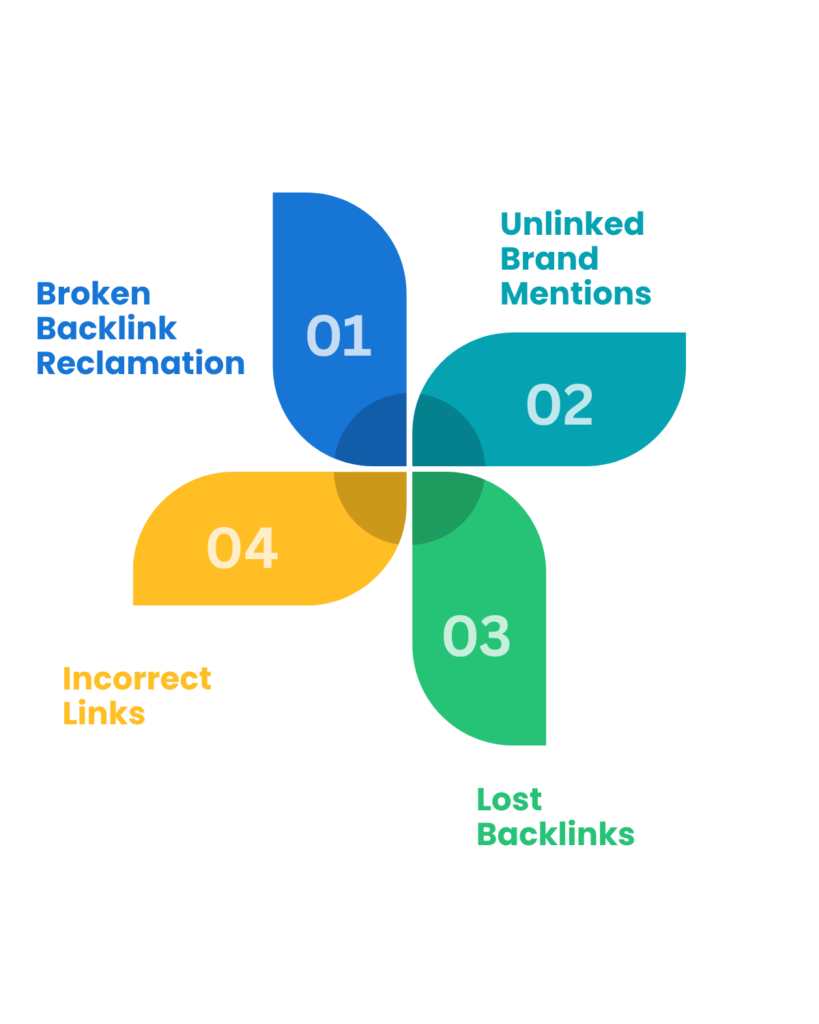
Type 1: Broken Backlink Reclamation
What it is: A backlink pointing to your website returns a 404 error or broken redirect.
Why does it happen:
– You changed your URL structure (renamed pages)
– You deleted a page entirely
– You migrated to a new domain
– You restructured your website
– Server misconfiguration
– Site was moved to a new hosting platform
Why this matters:
– Site owner sees a broken link in their analytics
– Google marks it as a broken link
– No link equity passes through
– Site owner loses credibility with their readers
How to identify it:
– Use Ahrefs: Site Explorer → Backlinks → Filter by 404s
– Use SEMrush: Backlink Analytics → Check status column
– Use Google Search Console: Coverage report → Look for 404 pages
How to recover it:
1. Site owner discovers a broken link on their page
2. You reach out: “I noticed your link to my old page is broken. I’ve moved that content to [new URL] and expanded it significantly.”
3. You provide the new URL
4. They update the link in seconds
5. Link equity flows again
Real example:
Your old URL: example.com/seo-tips-2020/
New URL: example.com/comprehensive-seo-guide/
The site owner’s article links to your old URL. Link is broken. They’ve probably been meaning to fix it.
You contact them: “Hi Sarah, I noticed your article on ‘SEO for Beginners’ links to my old page on SEO tips. I’ve updated that content significantly and moved it to a new location. Would you mind updating the link? Here’s the new URL: [URL]. Thanks!”
Sarah thinks: “Oh, they’re helping me fix my broken link. Great! I’ll update it right now.”
Link fixed. You gain authority. Everyone wins.
Success rate: 60-70% (site owners want working links)
Type 2: Unlinked Brand Mentions
What it is: Someone mentions your brand or company name online but doesn’t link to you.
Why does it happen:
– Author mentions you but forgot to link
– A mention was added in editing without links
– The author didn’t have a relevant page to link to
– A different author wrote the paragraph
– Simple oversight
Why this matters:
– You’re getting mentioned (good for authority)
– But you’re not getting the link (missing SEO value)
– It’s 90% of the way to a backlink—just needs the final step
How to identify it:
– Google Alerts: Set an alert for your brand name
– Manual searching: Google `”Your Company Name”`
– SEMrush: Brand Monitoring tool
– Mention.com: Tracks online mentions (paid tool)
– Twitter advanced search for brand mentions
How to recover it:
1. Find the mention
2. Visit the page
3. Identify the author
4. Contact them
5. Politely ask to add a link
Real example:
Article says: “Best email marketing tools include Mailchimp, ConvertKit, ActiveCampaign, and [Your Company].”
Your Company is mentioned but not linked. You contact the author:
“Hi Michael, I noticed your recent article on ‘Best Email Marketing Tools’ mentions [Your Company]. Great! I noticed there’s no link on that mention, though. Since we offer a resource guide on email marketing, would you consider linking to it? Here’s the page: [URL]. Either way, thanks for the mention!”
The author thinks: “Oh, they’re just asking for a link on an existing mention. That makes sense. Sure, I’ll add it.”
Link added. Takes 1 minute for them.
Success rate: 50-60% (they’re already mentioning you, just need to add a link)
Type 3: Lost Backlinks
What it is: A backlink that used to point to you no longer exists.
Why does it happen:
– Site owner removed it (changed topic, content outdated)
– Page was deleted
– Website was redesigned
– Link was accidentally deleted
– Site changed content management system
– Link decay (sites naturally lose links over time)
Why this matters:
– You were getting authority from this link
– Now you’re not
– That’s lost SEO value
– The site owner might not even realize they removed it
How to identify it:
– Use Ahrefs: Site Explorer → Backlinks → “Lost backlinks” report
– Check 6-month, 12-month, 24-month lost link history
– Filter by domain authority (focus on DR 40+)
– SEMrush: Similar feature in Backlink Analytics
How to recover it:
1. Identify the lost link (use Ahrefs lost backlinks report)
2. Visit the site that had your link
3. Find the page or article that linked to you
4. Check if the page still exists
5. Contact the owner
6. Explain the situation
7. Ask them to restore the link or add a new one
Real example:
Your link was on a “Best SEO Tools” roundup article. You see it in your lost links report. You visit the site—the article still exists, but your link is gone.
You contact the author:
“Hi James, I’m reaching out because I noticed your article on ‘Best SEO Tools’ used to link to my resource on SEO tools for small businesses. I see the link is no longer there—I’m not sure if you meant to remove it or if it got lost during an update.
Since then, I’ve significantly expanded that resource with new tools and data. I think your readers would find it valuable. Would you consider re-adding the link? Here’s the current URL: [URL]
Thanks!”
The author thinks: “Oh, they had a link I removed, and they’ve updated the content. That’s helpful information. I’ll re-add it.”
Link restored.
Success rate: 40-50% (depends on why they removed it)
Type 4: Incorrect Links
What it is: A link pointing to you has technical issues: wrong URL, outdated URL, incorrect anchor text, or broken redirect.
Why does it happen:
– You updated your URL, but they have the old one
– You redirected pages
– They linked to a staging version of your site
– Typo in their original link
– URL parameters are wrong
– Wrong anchor text (generic instead of keyword-focused)
Why this matters:
– Wrong URLs don’t pass full authority
– Broken redirects lose equity
– Wrong anchor text misses SEO opportunity
– User experience suffers (might get 404 or wrong page)
How to identify it:
– Use Ahrefs: Check individual backlinks for status
– Look for links pointing to old domains or staging sites
– Check anchor text distribution (too many generic anchors)
– Manual verification: Click the link and see where it goes
How to recover it:
1. Identify the incorrect link
2. Determine what’s wrong (URL, anchor text, etc.)
3. Contact the site owner
4. Explain what needs to be fixed
5. Provide the correct information
6. Request update
Real example:
A link points to your old domain: oldsite.com/seo-tools
But you migrated to: newsite.com/tools/seo
The redirect might work, but full authority isn’t passing. You contact them:
“Hi Amanda, I noticed your link to my SEO tools page is pointing to my old domain. I migrated to a new domain recently. Would you mind updating the link to point to my current URL? Here’s the new one: [newsite.com/tools/seo]
Thanks!”
They update it. Full authority flows.
Success rate: 60-70% (technical fix, site owners appreciate the heads up)
How to Find Link Reclamation Opportunities: Complete Tools Guide
You can’t recover links you don’t know about. Finding opportunities is the first step.
Tool 1: Ahrefs (Best Overall)

Cost: $99-$999/month (or free limited tier)
How to find broken links:
1. Log into Ahrefs
2. Go to Site Explorer
3. Enter your domain
4. Click “Backlinks.”
5. Look at the “404” status (or use filter)
6. Sort by “Domain Rating” (highest first)
7. Export the list
What you’ll see:
– The referring domain
– The exact page that had your link
– Status (404, 301 redirect, etc.)
– Domain Authority of linking site
– Traffic to the linking page
– When the link was last detected
What to look for:
– Lost links from high-authority sites (DR 40+)
– Recent losses (more likely to fix)
– Active websites (not dead domains)
– Pages with decent traffic
Time investment: 30 minutes to find 20-30 opportunities
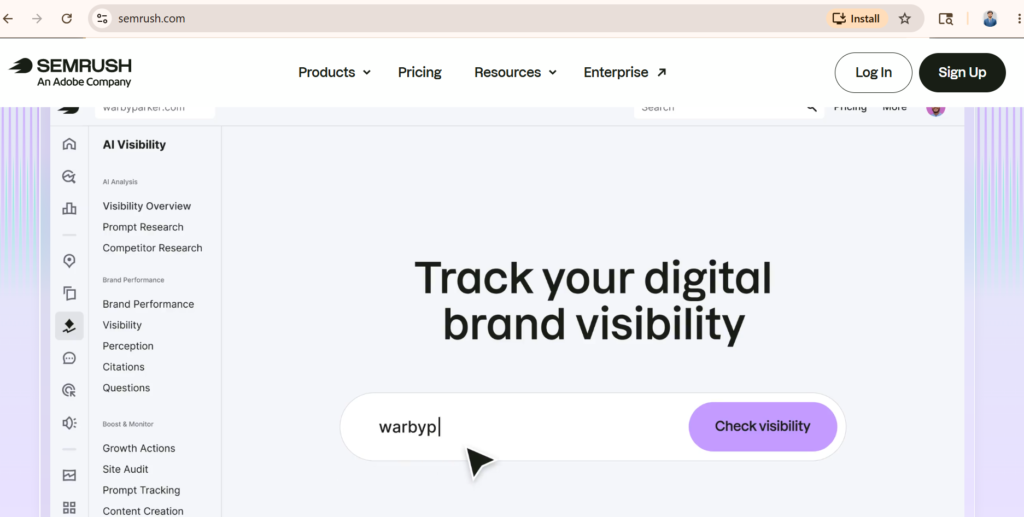
Tool 2: SEMrush (Comprehensive)
Cost: $120-$500+/month
How to find lost links:
1. Go to Backlink Analytics
2. Enter your domain
3. Look for the “Lost backlinks” section
4. Filter by recency and authority
Advantage over Ahrefs:
– Different database (sometimes finds different lost links)
– Good to use both for a complete picture
– Integrated with keyword research
Time investment: 30 minutes
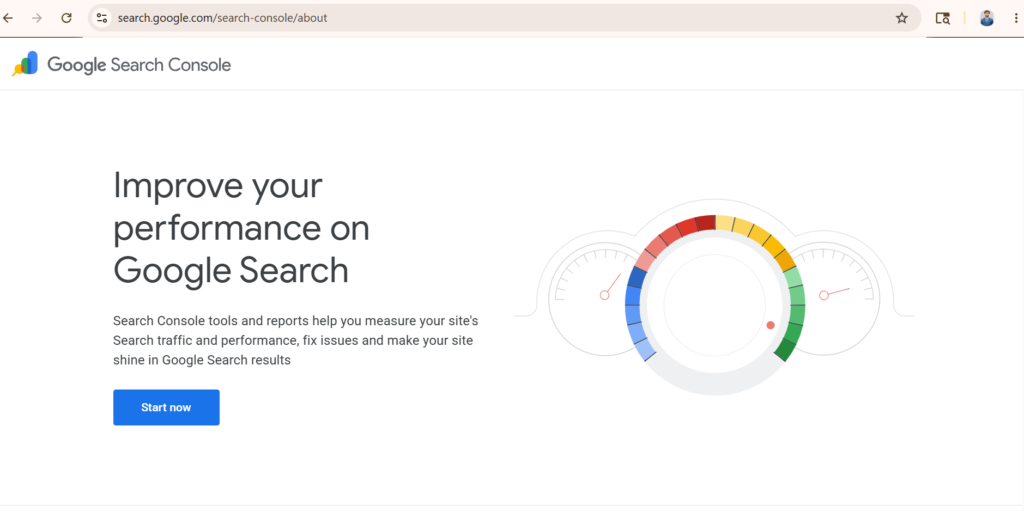
Tool 3: Google Search Console (Free)
Cost: Free
How to find broken links:
1. Go to Search Console
2. Navigate to the “Coverage” report
3. Look for “Excluded” pages and “Not indexed” pages
4. Compare the current month to the previous months
5. Look for significant drops in indexed pages
Limitation:
– Shows fewer links than paid tools
– Slower to update
– But it’s official Google data
Best use: Quick monitoring, not detailed research
Time investment: 15 minutes
Tool 4: Google Alerts (Free)
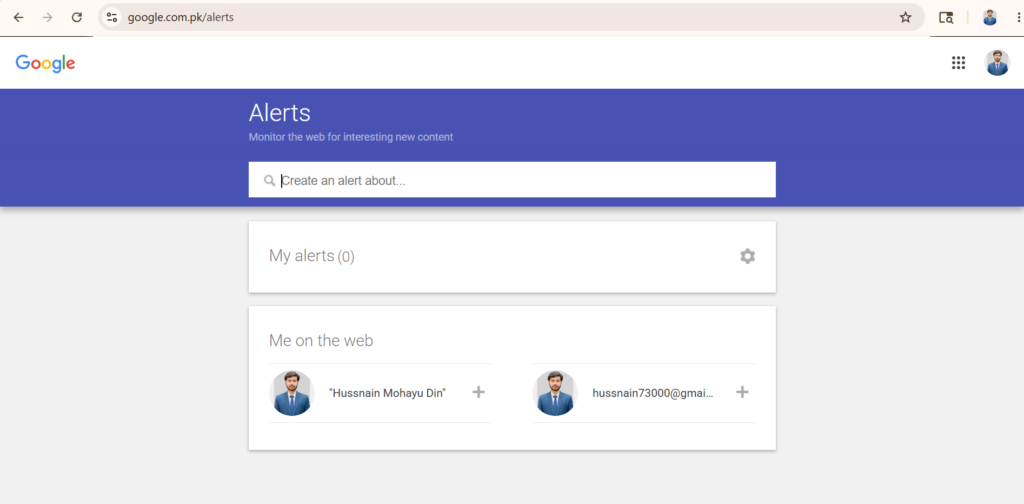
Cost: Free
How to find unlinked mentions:
1. Go to google.com/alerts
2. Set up an alert for your brand name: `”Your Company Name”`
3. Set frequency to “as it happens” or “once a week.”
4. Get email alerts of new mentions
5. Check each mention to see if it includes a link
Advantage: Real-time brand mentions
Limitation: Only shows new mentions, not historical ones
Time investment: 5 minutes setup, then 10 minutes/week checking alerts
Tool 5: Manual Search (Free)
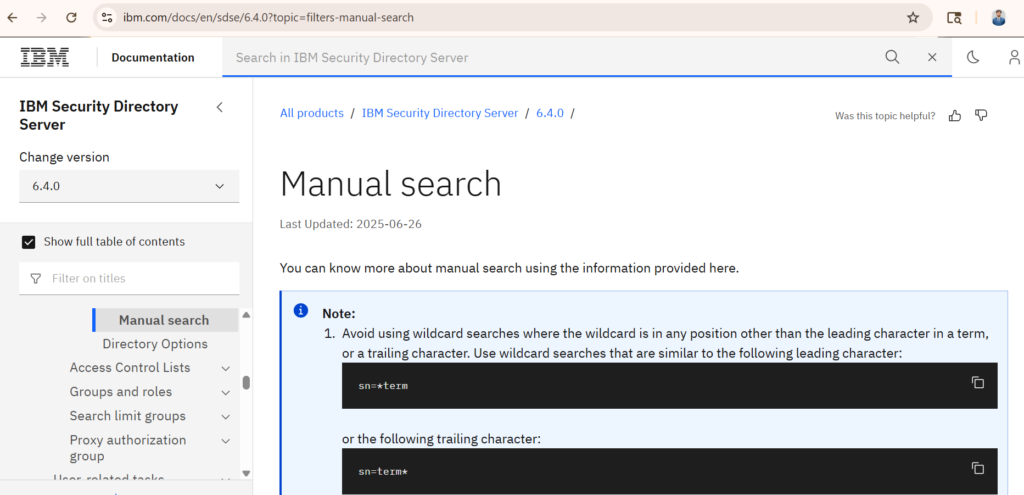
Cost: Free (time)
How to find unlinked mentions:
1. Search Google: `”Your Company Name” -site:yoursite.com`
2. Review the top 50 results
3. Note which ones mention you without linking
4. Add to outreach list
Advantage: Finds mentions missed by other tools
Limitation: Time-consuming but thorough
Time investment: 1-2 hours for a comprehensive search
Pro Tip: Combine Multiple Tools
The best approach:
1. Use Ahrefs for lost backlinks (30 minutes)
2. Use Google Alerts for new brand mentions (10 minutes/week)
3. Use manual search for comprehensive unlinked mentions (1 hour monthly)
Combined, you’ll find 50-100 opportunities per month.
The Complete Step-by-Step Link Reclamation Process
Here’s the exact workflow professionals use.
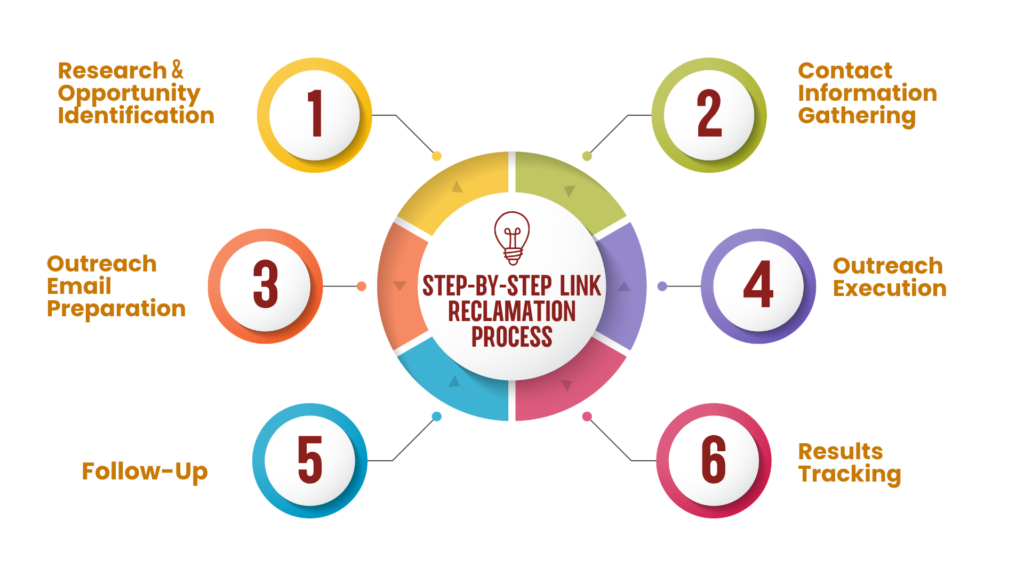
Step 1: Research & Opportunity Identification (45 minutes)
What you do:
1. Log into Ahrefs
2. Find lost backlinks (sort by DR 40+)
3. Export list of top 30 opportunities
4. Visit each referring website
5. Verify it’s still active
6. Check if the page still exists
7. Determine why the link is lost
What you’ll have: Spreadsheet with 20-30 verified lost link opportunities
Why this matters: You’re filtering out dead domains and non-recoverable situations
Step 2: Contact Information Gathering (1 hour)
What you do:
1. For each opportunity, identify the author/editor
2. Find their name on the page
3. Look for “About” or the author bio
4. Search for email address:
– Author bio page
– Site’s contact page
– Hunter.io (free tier)
– LinkedIn search
– Social media profiles
5. Document the best email address
Pro tip: If you can’t find an individual email, get the site admin email or support email as backup
What you’ll have: List of 20-30 opportunities with contact information
Step 3: Outreach Email Preparation (1-2 hours)
What you do:
1. Draft personalized email for each opportunity
2. Reference their specific article/content
3. Explain the situation (broken link, missing mention, etc.)
4. Provide exact URL and preferred anchor text
5. Keep it short (under 100 words)
6. Make it easy for them to help
Critical: Each email must be personalized, not a template. Generic emails get ignored.
What you’ll have: 20-30 personalized outreach emails ready to send
Step 4: Outreach Execution (1 hour)
What you do:
1. Send emails over 2-3 days (don’t spam all at once)
2. Space them 2-4 hours apart
3. Use email tracking (if possible) to see opens/clicks
4. Document who you’ve contacted
5. Note the date sent
Why spread them out? Sending 30 emails in one day looks spammy
What you’ll have: Outreach campaigns sent, tracking data documented
Step 5: Follow-Up (1 hour, one week later)
What you do:
1. Identify non-responders (no reply after 5-7 days)
2. Send one follow-up email
3. Keep it brief and friendly
4. Don’t be pushy
5. Highlight value one more time
Follow-up template:
“Hi [Name], I sent you an email last week about [topic], but wanted to follow up in case it got buried. I think your readers would find [specific value] valuable. Would you be open to adding the link? [URL]
Thanks!”
Expected response rate increase: An additional 15-20% of contacts respond to follow-up
Step 6: Results Tracking (20 minutes/week)
What you do:
1. Check Ahrefs weekly for new backlinks
2. Verify reclaimed links actually appeared
3. Track which requests succeeded
4. Document what worked
5. Check ranking improvements
Tools for tracking:
– Ahrefs (see new backlinks appear)
– Google Search Console (see traffic changes)
– Rank tracker (see keyword movement)
Timeline: 1-4 weeks to see links appear in Ahrefs
Proven Outreach Email Templates
These templates have 50-70% success rates. Personalize them.
Template 1: Broken Backlink Recovery
Subject: Quick fix for your [Topic] article
Hi [Name],
I was reading your article on “[Article Title]” and noticed something. Your link to [my old page/topic] appears to be broken or outdated.
I know you probably want all your links working perfectly. I’ve significantly updated that content and moved it to [new URL]. It now includes [specific improvement: new data, case studies, etc.] that your readers would find valuable.
Would you mind updating the link? Here’s the exact URL: [URL]
Thanks!
[Your name]
Template 2: Unlinked Mention Request
Subject: Your mention of [Your Company] in [Article]
Hi [Name],
I loved your recent article on “[Article Title].” You mentioned [Your Company] as one of [the solutions/tools/services], which I really appreciate.
I noticed you didn’t link to us in that section. Since we have a [specific resource] that directly supports the point you made, I thought you might want to link to it. Here’s the page: [URL]
Either way, thanks for the mention!
[Your name]
Template 3: Lost Link Recovery
Subject: Reconnecting on [Topic]
Hi [Name],
I was reviewing backlinks to my content and noticed your site used to link to my article on “[Topic].” I’m not sure if you meant to remove it or if it got lost during an update.
I’ve significantly expanded that content since then with [specific recent addition: new research, updated data, case studies]. I think your readers would find it even more valuable now.
Would you consider re-adding the link? Here’s the updated version: [URL]
Appreciate it!
[Your name]
Template 4: Technical Fix Request
Subject: Updating your link to my content
Hi [Name],
I noticed your article “[Article Title]” links to an older version of my page. I recently migrated that content to a new URL with updated information.
Would you mind updating the link to point to the current version? Here’s the new URL: [URL]
Thanks!
[Your name]
Best Practices for Maximum Success
Practice 1: Personalize Every Email
Generic template emails get 5-10% response rate.
Personalized emails get 50-70% response rate.
Spend 2 minutes personalizing each email. Reference their specific article. Show you actually read it. It matters.
Practice 2: Lead With Value, Not Asks
Never lead with “Can you add a link to my site?”
Instead, lead with: “I found an issue on your site” or “Your content would be even better if…”
Site owners respond to value propositions, not requests.
Practice 3: Keep It Short
Busy site owners get 100+ emails per day.
Keep yours under 100 words. Make it scannable. Most won’t read beyond the first paragraph.
Practice 4: Provide Exact URLs
Don’t say “check out my SEO guide.”
Say “Here’s the exact URL: [URL]”
Eliminate friction. Make it easy for them to help.
Practice 5: Be Genuinely Helpful
Your primary goal: Help them fix their website.
Your secondary goal: Get a link.
Frame it that way. “I noticed your link is broken and wanted to help you fix it.”
Site owners appreciate this. Success rate jumps from 40% to 60%+.
Practice 6: Use Them Strategically
Don’t email the same person twice about the same issue.
Don’t be pushy (one follow-up max).
Don’t mass-email to non-relevant sites.
Quality outreach beats quantity every time.
Common Mistakes to Avoid
Mistake 1: Sending Generic Template Emails
Generic = 5-10% response rate. Personalized = 50-70%.
Fix: Spend 2 minutes personalizing each email.
Mistake 2: Not Following Up
First email: 40% response rate
First + follow-up: 55-60% response rate
Fix: Always send one follow-up 5-7 days later.
Mistake 3: Targeting Wrong Sites
Wasting time on DR 10 sites when DR 50+ sites are available.
Fix: Filter by Domain Authority. Target DR 40+ sites.
Mistake 4: Giving Up Too Early
Some site owners respond after 2-3 follow-ups.
Fix: Wait 2 weeks before giving up on an opportunity.
Mistake 5: Not Verifying Results
You get a response. They say they’ll add the link. But they don’t.
Fix: Use Ahrefs to verify the link actually appeared within 2 weeks.
Mistake 6: Ignoring Follow-Up
Person responds: “I’ll look into it.” But you never follow up with them.
Fix: Add a note 2 weeks later: “Just checking in—were you able to update the link?”
Scaling Link Reclamation: From 5 to 50+ Links Per Month
Once you understand the process, scaling is straightforward.
Month 1: Proof of Concept
– Find 20-30 lost links (Ahrefs + Google Alerts)
– Execute full process
– Expected result: 8-12 reclaimed links
– Time investment: 15-20 hours
Month 2: Build Systems
– Automate parts of the process
– Create better templates
– Build a contact database
– Target 50-75 opportunities
– Expected result: 20-25 reclaimed links
– Time investment: 15-20 hours
Month 3: Full Scale
– Run multiple campaigns simultaneously
– Target 100+ opportunities
– Use tools to automate tracking
– Expected result: 40-50 reclaimed links per month
– Time investment: 15-20 hours (now scaled)
Scaling Tips
Automate the research: Use Ahrefs API or Zapier to automatically export lost links
Template library: Create templates for each type of reclamation, then personalize
Hiring help: At month 3, consider hiring a VA to handle research and data entry ($200-300/month)
Tools: Invest in BuzzStream or Pitchbox ($250+/month) to manage campaigns at scale
Link Reclamation Workflows & Real Examples
Complete Workflow Example: B2B SaaS Company
Situation: B2B SaaS company (project management tool) lost several backlinks over the past 6 months.
Month 1 Results:
1. Found 22 lost backlinks in Ahrefs
2. Filtered to 18 DR 40+ opportunities
3. Contacted 18 sites
4. Follow-ups sent to non-responders
5. Result: 11 links reclaimed (61% success rate)
6. SEO impact: 3 keywords jumped 2-4 positions
Investment: 12 hours of work
Outcome: 11 high-quality backlinks = ~$5,500 in SEO value (at $500/link market rate)
ROI: Priceless for DIY. Would cost $5,500-11,000 through an agency.
Frequently Asked Questions
What is link reclamation in SEO?
Link reclamation is recovering broken or lost backlinks, fixing incorrect links, or converting brand mentions into backlinks.
Is link reclamation effective?
Yes. It has 40-70% success rate and shows ranking impact within 2-4 weeks.
How long does link reclamation take to work?
Most reclaimed links show ranking improvements within 2-4 weeks. Full impact takes 4-8 weeks.
How many links can I reclaim per month?
Beginner: 5-10 links/month
Intermediate: 15-25 links/month
Advanced: 40-50+ links/month
Should I do link reclamation before link building?
Yes. Reclamation is faster and easier. Do this first while building new links simultaneously.
Which tool is best for finding lost links?
Ahrefs is the best overall. SEMrush is good as a secondary tool. Use both for complete picture.
What’s a good success rate for link reclamation?
40-70% is typical. Higher rates (60-70%) come from personalization and follow-ups.
Can I automate link reclamation?
Partially. You can automate research and tracking, but outreach must be personalized.
Conclusion
Link reclamation is the highest-ROI link building strategy available.
It’s faster, easier, and more successful than traditional link building.
Start with this simple process:
1. Find lost links with Ahrefs (30 minutes)
2. Research 20-30 opportunities (1 hour)
3. Gather contact info (1 hour)
4. Write personalized emails (1-2 hours)
5. Send and follow up (1 hour)
6. Track results (weekly, 20 minutes)
Expected result: 8-12 quality backlinks in 30 days.
That’s 2.6 hours of work per backlink—far more efficient than traditional link building.
Combined with traditional link building, link reclamation creates a balanced, scalable link acquisition strategy that produces results fast.
Start today. Your first reclaimed link could appear this week.
