

A Twitter SEO checklist is a step-by-step list for optimizing your X profile, posts, and tracking so your account shows up when people search on X, in Google, and in AI answers. In short: make your profile clear, pick a few core topics, state the topic early in every post, and track which searches bring people in.
Twitter is officially X now, but people still search for “Twitter SEO,” so this Twitter SEO guide uses both names. X SEO also changed more in 2026 than in any year before it. X rebuilt its ranking system around a Grok-based model and published the code. Google started showing creators which searches lead to their X posts. And X’s leadership said link posts no longer lose reach.
Most guides ranking today were written before those changes. This Twitter SEO checklist includes them: 40 steps in six phases, a pre-publish check, a weekly routine, and the mistakes that waste the most effort.
Key takeaways
- X ranks posts with a Grok-based model that reads meaning, so clear topics beat keyword tricks.
- Your profile, pinned post, and website should all describe your brand the same way.
- Link posts no longer carry a built-in penalty, according to X’s leadership.
- Google Search Console now shows which Google searches reach your X posts.
- Grok cites X posts heavily, while Google’s AI Overviews rarely do.
What Is Twitter SEO (X SEO)?
Twitter SEO, now often called X SEO, is the work of making your X profile and posts easy to find. On X, that covers search, the For You feed, hashtags, and replies. Outside X, it covers Google Search, Google Discover, and AI tools like Grok. Classic SEO leans on backlinks. Twitter SEO leans on topic clarity, engagement, and recency.
It works across two search systems:
- X’s own search and recommendations. People search X for news, product opinions, reviews, and expert takes. Results sort into tabs such as Top, Latest, People, and Media.
- External search engines and AI tools. Google can show a single post, a carousel of posts, or your profile. Grok, X’s built-in assistant, can quote posts directly in its answers.
The two systems reward different things, so the Twitter SEO checklist below covers both.
Why Twitter SEO Matters in 2026
Twitter SEO matters because X is still where people search for real-time answers. The SpaceX S-1 filing in May 2026 reported 550 million monthly active users for X and Grok combined. People there search for breaking news, tool comparisons, and “is anyone else seeing this?” moments. A clear, on-topic account that follows a Twitter SEO checklist gets found in those moments.
Good Twitter SEO pays off in four ways:
- More impressions. Posts that rank in X search and For You get seen by people who don’t follow you yet.
- More engagement and followers. Every impression is a chance to earn a reply, a bookmark, or a follow.
- More branded search visibility. Google often shows social profiles for brand and founder searches. A complete X profile can fill one of those page-one spots.
- Measurable traffic. Since July 2026, Google Search Console reports which Google queries send people to your X posts, so the channel is no longer guesswork.
How the X Algorithm Ranks Posts in 2026
The X algorithm ranks posts with a Grok-based model that predicts how likely each person is to engage with each post. It weighs recency, predicted engagement, topic relevance, your relationship with the viewer, and your account’s track record. X published this feed algorithm on GitHub in January 2026, so its basic logic is now public.
Here is how ranking has changed:
- 2016: Twitter moves from a chronological feed to an algorithmic one.
- January 20, 2026: X publishes its Grok-powered For You algorithm on GitHub. The old hand-built ranking rules are gone, and the model learns from engagement patterns.
- March 2026: Reply downvotes start shaping how replies are ranked.
- July 13, 2026: X boosts posts from mutuals (accounts that follow each other), especially in reply threads.
- October 2026: Elon Musk announces a new ranking model that better predicts how much time people spend on a post.

The Ranking Signals That Matter
| Signal | What the model looks at | Checklist steps |
|---|---|---|
| Recency | Posts from the last few hours get a boost | 31, 32 |
| Predicted engagement | Replies, reposts, likes, bookmarks, shares, and time spent | 20 to 26 |
| Topic relevance | The text and media of the post, matched to user interests | 10, 16, 17 |
| Relationships | Mutuals and accounts a user interacts with | 30, 33 |
| Account reputation | Account age, consistency, past engagement, and subscription status | 7, 32 |
| Media | Images and native video that hold attention | 22, 23 |
| Language | Posts in languages the user reads | 17 |
The takeaway: the model reads meaning, not just exact phrases. Clear writing on a consistent topic is the strongest ranking move on any Twitter SEO checklist.
Do Tweets Show Up on Google and in AI Search?
Yes. Public X posts and profiles can appear in Google Search and Google Discover, and Grok quotes X posts in its answers. Google has had a data agreement with Twitter since 2015, so new and older posts can surface. Indexing isn’t guaranteed, though. Google decides based on the query, engagement, and freshness.
Your X content can appear in Google in four places:
- A posts carousel for news, trending topics, and brand queries
- A single post for specific questions or events
- Your profile for brand and name searches
- Google Discover, where Google’s John Mueller has confirmed X posts now appear more often
Twitter SEO doesn’t stop at X. Your posts send people to the pages you link, so Google’s usual standards apply there. Those pages should match search intent, show real experience and expertise (E-E-A-T), and load fast on mobile.
X in Grok, AI Overviews, and ChatGPT
AI tools treat X very differently:
| AI tool | How often it uses X posts | What it means for you |
|---|---|---|
| Grok | Heavily. One tracker found X posts made up 47% of Grok’s cited sources across 6,400 answers in early 2026. | Active, on-topic posting can get your brand named in Grok answers |
| Google AI Overviews | Rarely. An Elementera study of 576 US searches in July 2026 found X posts cited in none, against YouTube in 57%. | Use X for reach, not for AI Overview citations |
| ChatGPT and others | Mostly through web pages that mention you | Earn mentions on editorial sites and keep your profile consistent |
If AI answers are a goal, pair your X SEO work with video and editorial coverage. Our YouTube SEO best practices and our piece on how AI search is changing link building cover both.
Editorial coverage matters most for ChatGPT and Google’s AI answers. Our brand mentions service places your brand in real publications that AI tools read and cite.
The Twitter SEO Checklist: 40 Steps in 6 Phases
This Twitter SEO checklist, or X SEO checklist if you prefer the new name, runs in six phases: profile setup, research, writing, format, distribution, and measurement. Work through all six in order the first time. After that, Phases 3 to 6 become your ongoing routine. Each step is a specific action you can finish in one sitting, not a general principle.
Phase 1: Optimize Your Twitter Profile for Search (Steps 1 to 9)
Your profile is the first item on any Twitter SEO checklist, because X and Google read it before they read your posts.
Make your account public.
Protected posts never show in Google, and only approved followers can see them on X. Check Settings > Privacy and safety > Audience and tagging.
Choose a recognizable handle.
Use your brand name or the closest available version (15 characters max). @Brimcove beats @brimcove_seo_2026. Match handles across platforms so people and search engines connect them.
Write a search-friendly display name.
Brands should use the brand name. Individuals can add their topic, such as “Sara Khan | B2B SEO.” You get 50 characters. Use one keyword, not five.
Write a 160-character bio with your main terms.
Use this formula: what you do + who you help + your angle or proof + what followers get. Example: “Link building agency for SaaS and SEO teams. Manual outreach, real sites, live reporting. Daily tips on backlinks and AI search.” Use the words your buyers type into search.
Skip the expanded bio.
Some guides still recommend X’s long “expanded bio.” Reports from February 2026 show it stopped displaying, and X hasn’t announced a fix. Put your longer story in your pinned post and on your website.
Use a clear profile photo and a header that sells.
Use a logo or headshot that still reads at small sizes (400 x 400 px). Use the header (1500 x 500 px) to state your value or current campaign, such as “Track your rankings across every location and device.”
Decide if a paid X subscription is worth it for you.
X’s help center says reply ranking checks if a reply comes from a paid subscriber, and the top tier gets the largest reply prioritization. Paid plans also add long posts, and Premium and higher tiers add X Articles. X folded Premium into new X Subscription plans in October 2026, so check the current tiers before you buy. If replies are your main growth channel, the subscription can pay for itself.

Fill in the location and website fields.
A complete Twitter profile gives X and Google more to match on name searches. The location field (30 characters) helps with local searches. Add a UTM-tagged link, such as ?utm_source=x&utm_medium=social&utm_campaign=profile, so GA4 reports profile traffic separately. On a professional account, pick the category that fits.
Pin your strongest post and refresh it.
A good pinned post covers your core topic, includes your main keyword, links to a high-value asset, and already has proven engagement. Test it: would this one post make a stranger follow you? Replace it after a launch, a positioning change, or a better post.
Phase 2: Find Your Twitter Keywords and Topics (Steps 10 to 15)
Twitter keyword research means finding the exact words your audience uses when they search and talk on X. Start with three to five content pillars, then collect phrases from X search, Google data, competitors, customers, and Grok. Our keyword research checklist covers the Google side in more depth.
Choose three to five content pillars.
An SEO agency might pick link building, Google updates, AI search, technical SEO, and case studies. Most posts should fit one pillar, which teaches the model who to show you to. Keep a recognizable style too: tone, format, and visuals.
Mine X search and autocomplete.
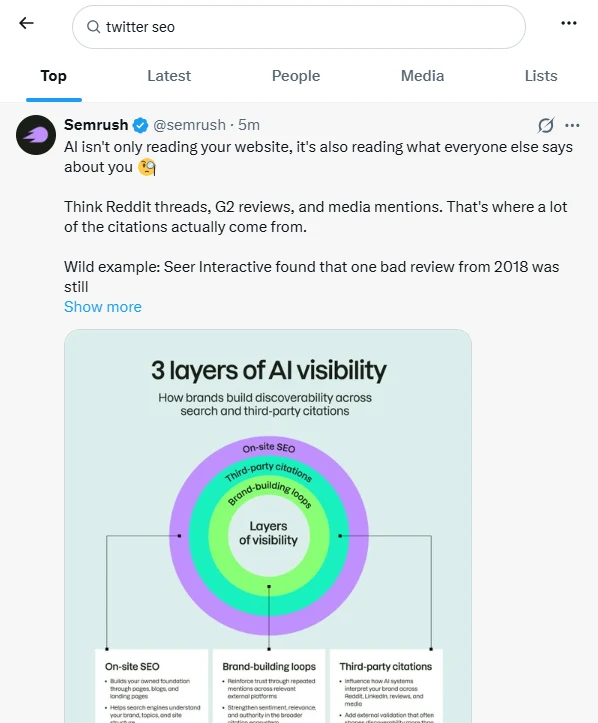
Type your topic into X search and note the suggestions. Read the phrasing in Top posts, then check Latest for live language. Watch Explore for trends in your niche.
Use advanced search operators.
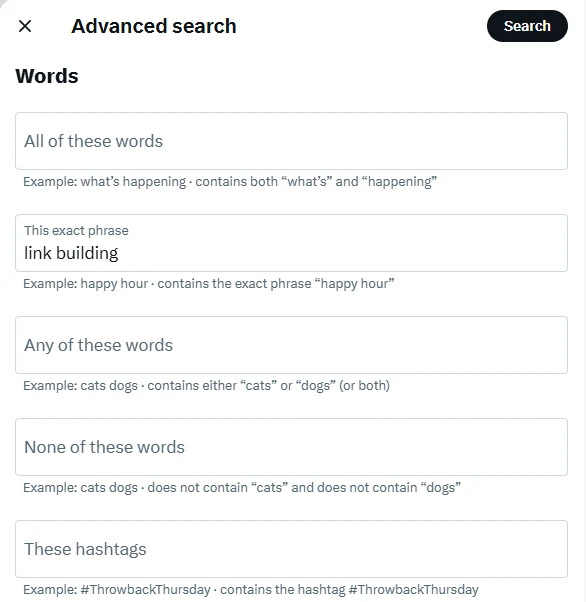
Open x.com/search-advanced on desktop, or type operators straight into the app’s search box. Try these:
"link building" min_faves:100 -filter:replies lang:enfinds popular original posts on a topic"anyone recommend" ("rank tracker" OR "seo tool")finds buying-intent questionsfrom:competitorhandle min_faves:50 since:2026-08-01finds a competitor’s best recent postsurl:yourdomain.comshows who shares your site"your brand" -from:yourhandleshows mentions you didn’t post
Save the searches you reuse so you can run them in one click.
Find Google keywords that already trigger X results.
In Semrush Organic Research, enter a competitor’s domain, open Positions, and filter SERP Features by the X result. This lists Google queries where X content already ranks. Pair it with the Keyword Magic Tool or Ahrefs to see how your market describes its problems.
Pull language from your customers.
Support tickets, sales calls, reviews, and community threads show the words people actually use. These phrases often beat tool data.
Ask Grok your category questions.
Ask Grok the questions your buyers ask, such as “best link building agency for SaaS.” Note which accounts and posts it cites. Those topics and formats are your Grok keyword targets, and the gaps show where your account is missing.
Phase 3: Write Posts That X Search Can Read (Steps 16 to 26)
Writing is where most of the Twitter SEO checklist pays off, since every post is a new chance to rank in X search.
Put the main topic in the first line.
Search previews and fast scrollers only see your opening. Name the topic within the first 50 characters or so. Weak: “Interesting stuff happening lately.” Strong: “Google rankings dropping after the November update? Here’s what we’re seeing.”
Use keywords naturally, in your audience’s language.
If a keyword sounds forced, rewrite the sentence. Spread variations (rank tracker, SERP tracker) across posts instead of packing them into one.
Use two hashtags at most.
Choose by relevance, not popularity. Save branded hashtags for campaigns, events, communities, and customer content.
Add location terms to local content.
“Local SEO changes we’re seeing in Lahore” reaches people searching for that city. This works for clinics, restaurants, real estate, events, and tourism. Ontario’s medical regulator (CPSO) used #ONhealth and #OntarioDoctors to reach local patients on National Doctors’ Day.
Write a hook the post delivers on.
Strong hooks ask a question, share a surprising number, challenge an assumption, promise a lesson, or name a problem. Test different lengths on your own account instead of trusting one “ideal length” stat.
Make posts easy to scan.
Use short lines, line breaks, and bullets. Use emojis only if they fit your brand voice.
Add visuals that carry information.
Original charts, screenshots, short demos, and before-and-after comparisons work best. Native video keeps people on the post longer, which feeds the time-spent signal.
Write alt text for people first.
Describe what the image shows, and the right terms appear on their own. Bad: “seo tips twitter marketing growth hacks.” Good: “Line chart showing a site falling from position 3 to 11 on Google after a core update.” Click “Add description” when you upload an image.
Share links with context, in the main post.
On July 28, 2026, X product head Nikita Bier said links no longer need to go in replies. The next day, Musk said X hadn’t penalized link posts “for over a year.” OpenTweet’s study of 28,124 posts found link posts got about the same impressions as posts without links. Add one or two sentences on why the link is worth a click, such as: “We reviewed [number] [things] this month. [Finding]. Here’s what we learned:”
Set up Twitter Cards on your website.
When you share a link, X builds the preview from your page’s twitter:card meta tags, and falls back to Open Graph tags. Set twitter:card to summary_large_image, and add a title, description, and image to every key page. A rich preview takes up more of the feed and earns more clicks than a bare URL.
Give people a real reason to reply.
Ask a genuine question, such as “Are you seeing the same drop?” Skip engagement bait like “Like if you agree.” People can now downvote replies, so low-effort exchanges sink.
Phase 4: Pick the Right Format (Steps 27 to 29)
The right format gives the same idea more reach, so this part of the Twitter SEO checklist is about matching format to topic.
Use threads for step-by-step content.
Each post in a thread can show up in search, which gives you several chances to rank. Open with a keyword-rich hook, keep one idea per post, add a visual in the middle, and close with a summary and a link. Don’t stretch a two-post idea into fifteen.
Use long posts or X Articles for depth.
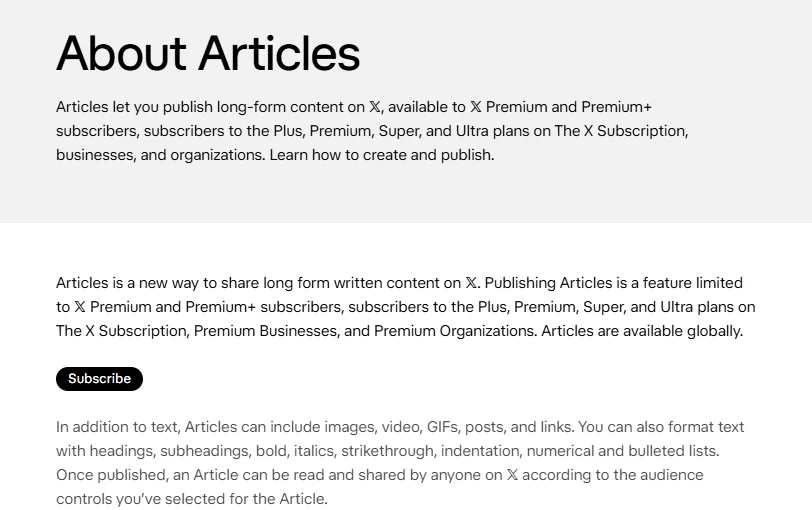
Paid accounts can write long posts well past 280 characters. Premium and higher plans, including most X Subscription plans, can also publish X Articles, with headings, images, video, and embedded posts. Some 2026 analyses suggest single long posts now spread further than threads, so test both on the same topic.
| Format | Best for | Watch out for |
|---|---|---|
| Single post | News, quick takes, questions | The first line has to carry the topic |
| Thread | Tutorials, step lists, stories | Readers drop off after the first few posts |
| Long post | Opinions and analysis | Needs a paid plan; put the point first |
| X Article | Guides, case studies, reports | Needs Premium or higher; promote it with a short post |
Use Communities and Spaces to reach topic audiences.
A post in a relevant X Community reaches members who opted into that topic. Spaces (live audio) build relationships and give you quotes and clips to post later.
Phase 5: Distribute and Engage (Steps 30 to 35)
Distribution turns good posts into search visibility. These Twitter SEO steps build the engagement and relationships the algorithm rewards.
Reply to relevant conversations every day.
Replies reach people who don’t follow you yet. Add data, experience, a counterpoint, or an example. Skip “Great post.” X now boosts mutuals, so real two-way relationships extend your reach.
Post when your audience is online.
Check your analytics to see when followers engage. The recency boost lasts hours, not days.
Post consistently without filler.
A steady posting rhythm builds account reputation. Repetitive or bot-like posting hurts it. One strong post beats three weak ones.
Build relationships with accounts in your niche.
Follow and talk with peers, partners, journalists, and customers. This builds the relationship graph the algorithm reads.
Encourage and share user-generated content.
Customer reviews, results, and screenshots add proof you can’t write yourself. Repost them, quote them with context, and thank the people who posted. NinjaTransfers used the branded hashtag #ninjatransfers to collect customer videos.
Cross-promote and embed your best posts.
Embed top posts in related blog articles, newsletters, and LinkedIn posts. Turn one blog post into a thread, a chart post, and three to five single insights. Our guide to social backlinks explains how social profiles fit into your wider link profile.
Phase 6: Measure and Improve (Steps 36 to 40)
The last phase of the Twitter SEO checklist shows you what works so you can repeat it.
Connect your X profile to your website and Search Console.
Link your X profile from your site’s footer or About page, and add it to your Organization or Person schema under sameAs. Then add X as a platform property in Google Search Console. Its reports show the Google queries, posts, and Discover traffic that reach your X content.
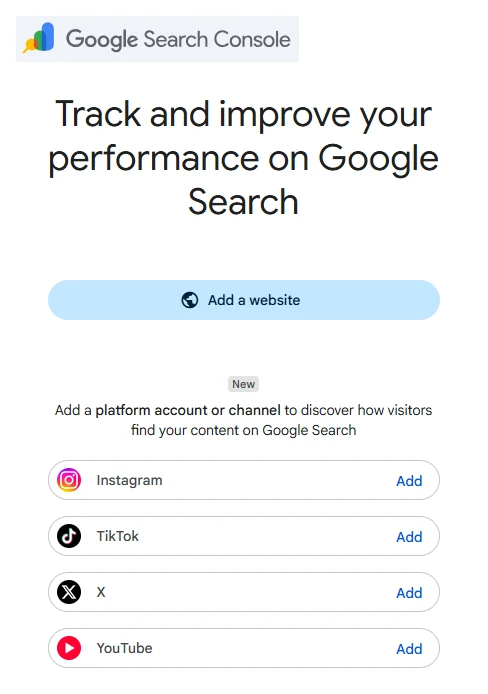
Track the metrics that match your goal.
Pick one main goal per quarter and judge your account by its metrics.
| Goal | Metrics to watch | Where to find them |
|---|---|---|
| Discovery | Impressions, profile visits, new followers | X analytics |
| Engagement | Replies, reposts, bookmarks | X analytics |
| Traffic | Link clicks, UTM sessions, conversions | X analytics + GA4 |
| Google visibility | Queries, impressions, clicks to posts | Search Console X property |
| AI visibility | Brand mentions and citations in Grok answers | Monthly Grok prompt checks |
| Brand association | Results shown for branded searches | Manual checks + rank tracker |
Act on your Google data monthly.
Write more on the topics that earn impressions in Search Console. Tighten the opening lines of posts that get seen but not clicked.
Watch your competitors.
Use Semrush’s Social Media Tracker, or run your saved competitor searches once a month. Note their best topics, formats, and posting rhythm. Learn from them, then do it your own way.
Track branded and industry search results.
Search your brand, your founder’s name, and your brand plus “review,” “pricing,” and “alternative.” Note which social profiles appear. Use rank tracking tools to watch SERP features over time, and judge results by patterns over weeks, not single viral posts.
Pre-Publish Twitter SEO Checklist: 12 Questions
Run every important post through this 12-question Twitter SEO checklist before you publish. If most answers are yes, post it. If several are no, fix the opening line and the topic first, because those two carry the most weight in X search and the For You feed.
- Is the topic clear in the first line?
- Does it fit one of your content pillars?
- Does it use your audience’s words naturally?
- Does the body deliver what the hook promises?
- Does each hashtag (two at most) have a purpose?
- Is the location named if the post is local?
- Is it easy to scan on a phone?
- Does the visual add information, and does it have alt text?
- Does the link have context, and does the page show a card preview?
- Does it give people a reason to reply?
- Is this the right format (single post, thread, long post, or Article)?
- Is it better than your last post on this topic?
Your Weekly Twitter SEO Routine
Twitter SEO works as a routine, not a one-time setup. Plan on 20 to 30 minutes a day for posting and replies, an hour a week for review and planning, and a few hours a month for search data and profile updates. This schedule keeps every phase of the Twitter SEO checklist running without taking over your week.
| How often | What to do |
|---|---|
| Daily (20 to 30 min) | Reply to 5 to 10 relevant posts, check mentions with a saved search, and publish 1 to 3 posts |
| Weekly (1 hour) | Review your top posts, plan next week’s posts by pillar, and publish one thread, long post, or Article |
| Monthly (2 to 3 hours) | Review Search Console data, run your Grok prompts, check competitors, and refresh your pinned post |
| Quarterly | Update your bio and header, revisit your pillars, and drop topics that don’t perform |
Adapt the Checklist to Your Account Type
All 40 steps of this Twitter SEO checklist apply to every account, but priorities change by account type. Brands focus on owning a category, creators on niche and replies, local businesses on location terms, and B2B or SaaS accounts on customer language and branded search. Start with the phases that match your main goal.
- Brands: Aim to own a category in people’s minds, the way Stripe owns payments and Canva owns design. Put the most effort into Phases 1, 2, and 6.
- Creators and personal brands: Pick a niche and recurring pillars. Replies (Step 30) and paid reply priority (Step 7) will likely grow you fastest.
- Local businesses: Use the location field, city names in posts, and local hashtags. Post about local events and news.
- B2B and SaaS: Build posts from customer language (Step 14), use Articles for case studies, and track “[brand] alternative” and “[brand] pricing” searches.
8 Twitter SEO Mistakes to Avoid
The costliest Twitter SEO mistakes come from trying to game the system: stuffing keywords, hashtags, or alt text, chasing off-topic trends, and faking engagement. Each one muddies the topic signals X and Google use to understand your account. These eight mistakes are the ones that most often undo good work on a Twitter SEO checklist.
- Stuffing keywords, hashtags, or alt text. Posts and image descriptions should read like a person wrote them.
- Posting without a clear topic. Vague posts give search systems nothing to match.
- Chasing unrelated trends. Off-topic impressions don’t build topical authority, and they confuse the model about who to show you to.
- Buying followers or engagement. Fake accounts don’t engage, which drags down your engagement rate and reputation.
- Automating spam patterns. Mass-following, identical posts, and “RT if you agree” bait all read as bot behavior.
- Following outdated advice. Tactics from 2023 guides, like hiding links in replies, cost effort for no gain.
- Judging single posts. One flop or one viral hit tells you little. Look for patterns over weeks and months.
- Copying competitors. Study them, but keep your own point of view.
Twitter SEO FAQs
What is a Twitter SEO checklist?
A Twitter SEO checklist is a step-by-step list for optimizing your X profile, posts, and tracking so you show up in X search, the For You feed, Google, and Grok. This one has 40 steps in six phases.
What should a Twitter SEO checklist include?
A complete Twitter SEO checklist covers six areas: profile setup, keyword research, post writing, format choice, distribution, and measurement. It should also include a pre-publish check and a regular routine, because Twitter SEO works best as a habit.
Is Twitter now called X?
Yes. Twitter rebranded to X in 2023, but most people still search for “Twitter SEO,” so both names describe the same work.
Can tweets rank on Google?
Yes. Public posts and profiles can appear in Google as single posts, carousels, or profile results, and in Google Discover. Indexing isn’t guaranteed and depends on the query, engagement, and freshness.
Does Twitter help my website’s SEO?
Not directly. Social signals aren’t one of the Google ranking factors. X helps indirectly by spreading your content, earning mentions, and sometimes leading to links from people who find you there.
Do hashtags still help X SEO?
A little, when used carefully. One or two relevant hashtags help with topic matching. The Grok-based model reads your whole post, so clear wording matters more than tags.
Do links hurt reach on X in 2026?
X says no. In July 2026, X’s leadership said link posts haven’t been penalized for over a year. Test it on your account by comparing link posts with similar posts that have no link.
Does alt text help Twitter SEO?
Mostly it helps accessibility, which is its main job. It also gives search systems context about your image. Describe the image plainly and never use alt text as a keyword list.
How often should I post on X?
There’s no universal number. Most accounts do well with one to three quality posts a day plus daily replies. Track your own engagement and adjust, as Step 37 of the Twitter SEO checklist explains.
Is a paid X subscription (X Premium) worth it for Twitter SEO?
It helps most if replies drive your growth, because X gives paid subscribers’ replies priority ranking. It also adds long posts and Articles. It won’t fix weak content, so set up your profile and topics first.
How long does Twitter SEO take to work?
Usually weeks to months. Profile fixes from Phase 1 of the Twitter SEO checklist can help right away, but topic authority and Google visibility build with consistent posting. Give Search Console data at least a month before you draw conclusions.
