
When you’re reading an article and click a link that takes you to another website, you’ve just used an outbound link. From the website owner’s perspective, that’s an outbound link — a hyperlink on their page pointing to someone else’s content.
Outbound links (also called external links) are a normal part of the web. Yet many bloggers, marketers, and business owners still wonder whether they help or hurt SEO, how many they should use, and whether they should be Do-follow or No-follow. In 2026, with Google placing even more emphasis on helpful content and user experience, understanding outbound links properly has become more important than ever.
This guide explains exactly what outbound links are, why they matter for both SEO and user experience, the different types you’ll encounter, best practices for using them, common mistakes to avoid, and the tools that make managing them easier. Whether you run a blog, an e-commerce store, or a corporate site, you’ll finish this article with clear, actionable advice you can apply right away.
Table of Contents
What Are Outbound Links?
An outbound link is any hyperlink on your website that directs visitors to a different domain. In simple terms: if the link leaves your site, it’s outbound.
From a technical standpoint, outbound links are the same as external links — the term just depends on perspective. When someone links to your site, that link is inbound (or a backlink) for you and outbound for them.
Search engines see outbound links as citations or recommendations. When you link to a high-quality, relevant page, you’re essentially telling your readers (and Google) “this resource is worth checking out.” That act of pointing to trustworthy content can strengthen your own site’s credibility.
Here’s a quick way to tell the difference between link types on your own site:
– Internal links: Point to other pages on the same domain (yoursite.com → yoursite.com/other-page)
– Outbound/external links: Point to a different domain (yoursite.com → anothersite.com)
Why Outbound Links Are Important
Outbound links serve two main purposes: they help users, and they send positive signals to search engines.
For users: Good outbound links add value. They provide additional reading, tools, research, or resources that expand on what you’re discussing. This improves user experience, increases time on site, and reduces bounce rates — all signals Google loves.
For SEO: When you link to authoritative, relevant sites, you show search engines that your content is well-researched and part of a broader, trustworthy conversation in your niche. This builds topical authority and can indirectly help your rankings.
Studies and real-world testing consistently show that pages with thoughtful, relevant outbound links tend to perform better than isolated content. The keyword is “thoughtful” — random or spammy outbound links can have the opposite effect.
Types of Outbound Links
Not all outbound links are the same. Here are the main categories you’ll work with:
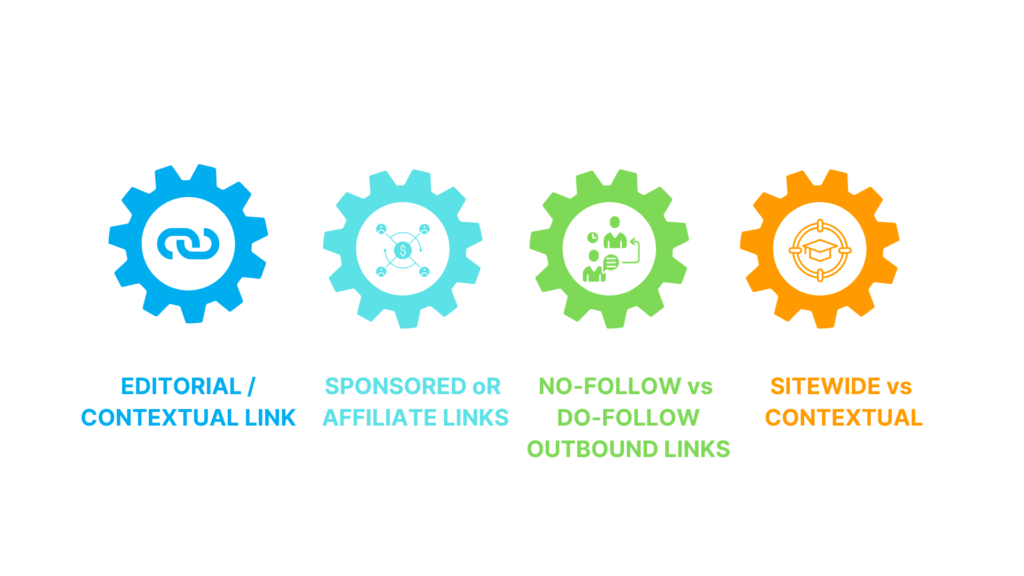
– Editorial/contextual links: Placed naturally within your content because they genuinely help the reader. These are the most valuable types.
– Sponsored or affiliate links: Paid or commission-based. These must use `rel=” sponsored”` or `rel=”No-follow”` to stay compliant.
– No-follow vs do-follow outbound links: Do-follow passes link equity (use sparingly and only for trusted sites). No-follow tells search engines not to follow or pass authority (safer for ads and user-generated content).
– Sitewide vs contextual: Sitewide links appear in footers or sidebars. Contextual links appear within the body of an article and carry more weight.
In 2026, Google pays close attention to how you use each type. Overusing do-follow outbound links to low-quality sites can look manipulative.
How to Use Outbound Links Correctly
Follow these practical rules to get the benefits without the risks:
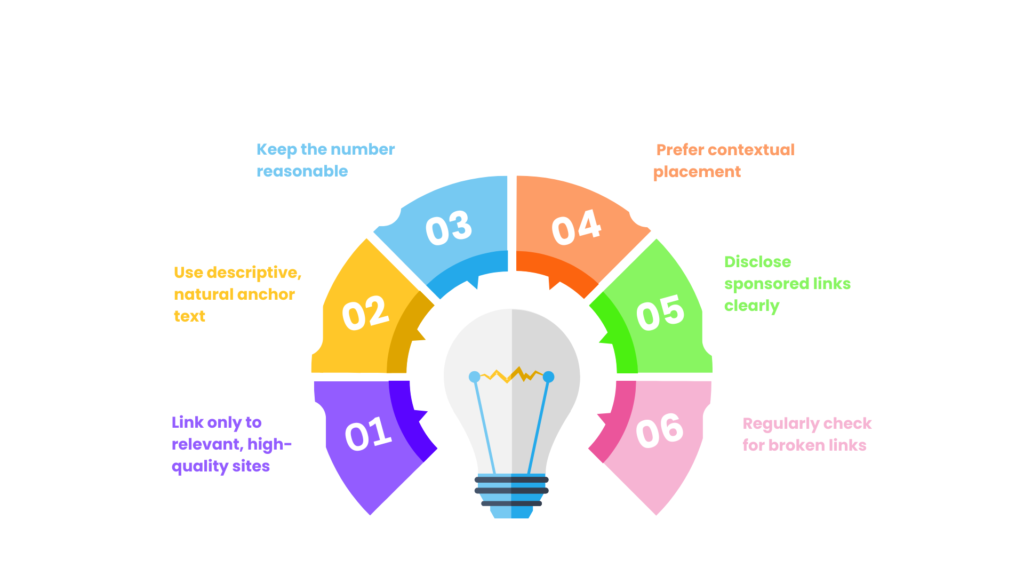
1. Link only to relevant, high-quality sites — Choose pages that your readers would actually find useful.
2. Use descriptive, natural anchor text — “Google’s Spam Policies” is much better than “click here.”
3. Keep the number reasonable — 3–8 outbound links per 1,000 words is a good general range for most content.
4. Prefer contextual placement — Links inside paragraphs carry more context and value than footer links.
5. Disclose sponsored links clearly — Always use the correct rel attribute and, when needed, add a simple disclosure sentence.
6. Regularly check for broken links — Use tools to scan your site monthly.
When you link out thoughtfully, you’re helping both your readers and your own SEO.
Common Mistakes With Outbound Links
Avoid these frequent errors:
– Linking to low-quality or spammy sites just to “add links”
– Using the same generic anchor text repeatedly
– Over-linking (10+ outbound links on a short page)
– Ignoring broken links that frustrate users
– Linking to competitors without a strategic reason
– Forgetting to use No-follow on affiliate or paid links
Fixing even one or two of these mistakes can improve user experience and reduce SEO risk.
Tools to Track and Manage Outbound Links
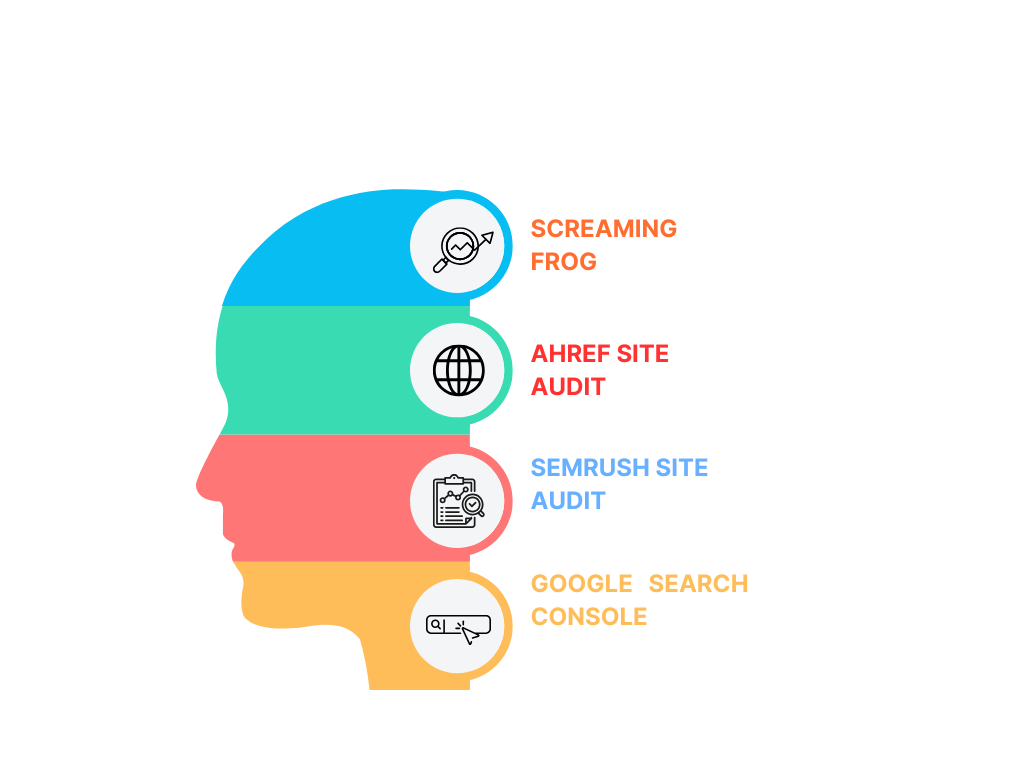
These tools make outbound link management much easier:
– Screaming Frog — Crawls your entire site and flags all outbound links with status codes.
– Ahrefs Site Audit — Shows outbound links along with the authority of the sites you link to.
– SEMrush Site Audit — Identifies broken outbound links and provides SEO recommendations.
– Google Search Console — Helps monitor how Google sees your external linking patterns.
Set up a monthly audit routine with one of these tools, and you’ll stay ahead of problems.
FAQs
What is the difference between outbound and external links?
Outbound links and external links refer to the same thing — hyperlinks that point from your website to a different domain. The term “outbound” is used when you’re looking at it from your own site’s perspective, while “external” is a more general term. Both mean the link takes users away from your domain. Internal links, by contrast, stay within your own website.
Do outbound links hurt SEO?
No, outbound links do not hurt SEO when used correctly. In fact, linking to high-quality, relevant sources can strengthen your topical authority and improve user experience signals. The only time outbound links cause problems is when they point to spammy or low-quality sites, use over-optimised anchor text, or appear in unnatural patterns. Thoughtful outbound linking is generally viewed positively by Google.
How many outbound links should a page have?
There is no strict rule, but a good guideline is 3–8 outbound links per 1,000 words of content for most articles. The exact number depends on the topic and length. Focus on quality and relevance rather than hitting a specific count. Too few links can make content feel isolated; too many can feel spammy and reduce the value of each individual link.
Should outbound links be No-follow or Do-follow?
Use Do-follow for genuine editorial recommendations to trusted, relevant sites. Use No-follow (or sponsored) for any paid, affiliate, or user-generated links. In 2026, properly marking paid links is essential for compliance. Most natural, helpful outbound links on high-quality content remain Do-follow and contribute positively to the web’s link graph.
Are outbound links good for user experience?
Yes — when they provide genuine additional value. Readers appreciate links to helpful resources, tools, research papers, or further reading. Well-placed outbound links can increase time on site, reduce bounce rate, and improve overall satisfaction. Poorly placed or irrelevant outbound links, however, can frustrate users and increase exits.
Can outbound links improve page authority?
Outbound links themselves don’t directly increase your page authority. However, by linking to authoritative sources, you demonstrate that your content is well-researched and part of a trusted ecosystem. This can indirectly strengthen your topical authority signals, which Google uses when evaluating pages. The real benefit comes from the combination of quality content and natural, relevant linking.
Do outbound links affect bounce rate?
They can. Helpful outbound links that satisfy user intent often keep people engaged longer because they provide a complete experience. If the link is irrelevant or misleading, it can increase bounce rate as users leave to find better information elsewhere. Track bounce rate and time on page after adding new outbound links to see the real impact.
How to find high-quality sites to link to?
Look for authoritative sources in your niche using Google searches, Ahrefs’ Content Explorer, or competitor analysis. Check Domain Rating, organic traffic, and content quality. Prioritise .edu, .gov, and well-known industry publications when appropriate. Tools like Moz and SEMrush also help identify trustworthy domains. Always read the page before linking to ensure it’s genuinely relevant.
What happens if I have too many outbound links?
Too many outbound links on a single page can dilute the value of each link and make the content feel less focused. It may also increase the chance of users leaving your site before finishing your content. Google doesn’t penalise high numbers of outbound links directly, but poor user experience signals can indirectly affect rankings. Aim for balance and relevance.
Do outbound links pass link equity to other sites?
Do-follow outbound links pass a portion of your page’s authority (link juice) to the destination site. This is normal behaviour on the web. No-follow links do not pass this equity. Many SEOs worry about “leaking” authority, but the benefit of providing value to users and building a natural link profile usually outweighs any minor equity loss.
