
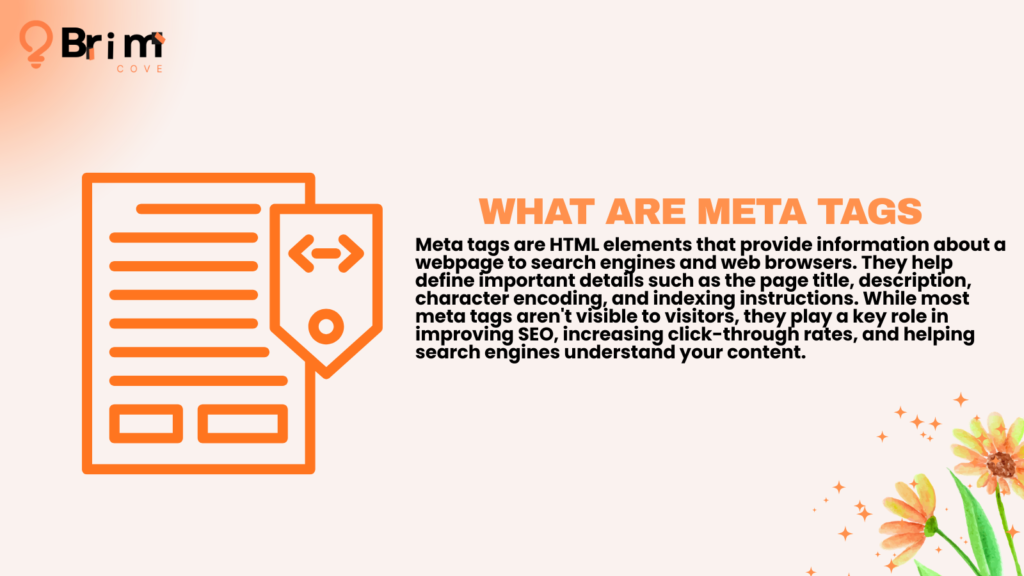
Meta tags are snippets of HTML code that provide information about a webpage to search engines, browsers, and other online services. They are usually placed inside the <head> section of a webpage and are not directly visible to visitors.
Think of meta tags as behind-the-scenes instructions and descriptions that help search engines understand, process, and display your content.
For example, a title tag tells search engines the primary title of a page, while a meta description provides a brief summary that may appear in search results. Other meta tags control crawling, indexing, duplicate content, mobile display, and social media previews.
In this guide, you’ll learn:
- What meta tags are and how they work
- Which meta tags are important for SEO
- How title tags and meta descriptions affect search visibility
- How robots and canonical tags control indexing
- How Open Graph and viewport tags improve user experience
- Which meta tags are outdated
- How to optimize and audit your metadata
Table of Contents
What Are Meta Tags?
Meta tags are HTML elements that provide information about a webpage without displaying that information directly on the page.
They are generally placed inside the <head> section of an HTML document.
<head>
<title>SEO Basics for Beginners</title>
<meta name=”description” content=”Learn SEO basics and ranking strategies.”>
<meta name=”robots” content=”index, follow”>
</head>
Visitors typically do not see the HTML code itself, but they may see the effects of these tags. For example:
- The title tag often appears as the clickable headline in Google Search.
- The meta description may appear beneath the title.
- Open Graph tags control how a page appears when shared on social media.
- The viewport tag helps webpages display correctly on mobile devices.
Meta tags are a type of metadata, which means “data about data.” They help search engines and browsers understand information about your webpage and how it should be handled.
Why Are Meta Tags Important for SEO?
Meta tags support several important aspects of SEO, including search engine understanding, crawling, indexing, click-through rates, social sharing, and mobile usability.
However, not every meta tag is a direct ranking factor. Their importance depends on their specific purpose.
Help Search Engines Understand Your Content
A title tag communicates the primary topic of a page, while a meta description summarizes what users can expect.
Other tags provide technical instructions. For example, a canonical tag identifies the preferred version of similar pages, while a robots meta tag can control whether a page should be indexed.
Together, these elements provide additional context that helps search engines process your website.
Improve Click-Through Rates
A clear title and compelling meta description can encourage users to choose your result over competing pages.
Compare:
Less effective:
SEO Services
More effective:
Affordable SEO Services for Small Businesses | Company Name
The second title provides more context and clearly communicates the page’s topic.
Meta descriptions are not direct Google ranking factors, but they can influence click-through rates by helping users understand why a page is relevant to their search.
Control Crawling and Indexing
Some meta tags provide instructions to search engines.
For example:
<meta name=”robots” content=”noindex, follow”>
This tells search engines not to include the page in search results while allowing them to follow links on the page.
Using robots directives correctly can help prevent low-value, private, duplicate, or unnecessary pages from appearing in search results.
Improve Social Media Previews
Open Graph tags control how a webpage appears when shared on platforms such as Facebook and LinkedIn.
They can define:
- The page title
- Description
- Featured image
- URL
A well-optimized social preview can improve engagement and increase referral traffic.
Support Mobile Usability
The viewport meta tag helps browsers display webpages correctly across different screen sizes.
<meta name=”viewport” content=”width=device-width, initial-scale=1.0″>
This helps content fit mobile screens and prevents users from needing to zoom or scroll horizontally.
How Search Engines Use Meta Tags
Search engines do not rely on meta tags alone when evaluating a webpage. They combine metadata with the actual content, internal links, structured data, backlinks, technical signals, and many other factors.
Meta tags primarily help with four areas:
Crawling
Search engine crawlers discover pages by following links and processing website content. During this process, they can read metadata that provides instructions about how a page should be handled.
Indexing
After crawling a page, search engines decide whether it should be included in their index.
Robots directives and canonical tags can help communicate whether a page should be indexed and which version should be treated as the preferred URL.
Search Result Display
Title tags and meta descriptions can influence how a page appears in search results.
Google may rewrite titles or descriptions when it believes another version better matches the user’s query. However, writing accurate, relevant metadata increases the likelihood that your preferred content will be used.
Content Understanding
Metadata provides additional context about a webpage’s purpose and technical structure.
For example:
- Canonical tags identify preferred URLs.
- Open Graph tags describe content for social media platforms.
- Viewport tags support mobile display.
- Title tags communicate the primary topic.
The Most Important Meta Tags for SEO
| Meta Tag | Primary Purpose | SEO Importance |
| Title Tag | Defines the page title | Very High |
| Meta Description | Summarizes page content | High for CTR |
| Robots Meta Tag | Controls indexing and crawling directives | High |
| Canonical Tag | Identifies the preferred URL | High |
| Open Graph Tags | Controls social media previews | Medium |
| Viewport Tag | Supports mobile usability | Important for UX |
Each tag serves a different purpose, so they should be optimized according to their function rather than treated as interchangeable SEO elements.
What Is a Title Tag?
A title tag defines the title of a webpage.
<title>What Are Meta Tags Used for in SEO? | Beginner’s Guide</title>
It commonly appears as:
- The clickable headline in search results
- The title shown in browser tabs
- The title used when pages are bookmarked
Because it is one of the first elements users see in search results, the title tag is important for both SEO and user engagement.
Title Tag Best Practices
Include the Primary Keyword Naturally
Place the primary keyword near the beginning when it makes sense.
Good:
What Are Meta Tags Used for in SEO? Complete Guide
Less effective:
Everything You Need to Know About Website Optimization and Meta Tags for SEO
The first title is more direct and clearly communicates the page’s topic.
Keep Titles Concise
Google does not enforce a strict character limit, but titles around 50–60 characters often display well. Longer titles may be truncated depending on the device and search result layout.
Add Your Brand When Appropriate
Adding your brand name can improve recognition.
Example:
SEO Meta Tags Guide | Company Name
However, avoid adding unnecessary branding if it makes the title too long or unclear.
Write for Users
Avoid repeating keywords unnaturally.
Poor:
SEO Meta Tags, SEO Tags, Best SEO Meta Tags, Meta Tags SEO
Better:
SEO Meta Tags Explained: Types, Examples, and Best Practices
The second example is clearer, more natural, and easier to understand.
What Is a Meta Description?
A meta description is an HTML element that provides a short summary of a webpage.
<meta name=”description” content=”Learn what meta tags are, how they affect SEO, and discover best practices for optimizing your website.”>
Search engines may display the description beneath the title in search results. However, Google can rewrite it when another section of the page better matches a user’s query.
Meta descriptions are not direct ranking factors, but they can influence click-through rates.
Meta Description Best Practices
- Summarize the page accurately.
- Match the user’s search intent.
- Include the primary keyword naturally.
- Explain the value of the page.
- Write for real users instead of search engines.
- Keep the description concise, usually around 150–160 characters when possible.
A subtle call to action can also encourage clicks.
Examples include:
- Learn more
- Discover how
- Explore the complete guide
- Get started today
Example:
Learn what meta tags are, why they matter for SEO, and how to optimize title tags, descriptions, robots tags, and canonical tags.
The description clearly communicates what the page covers and gives users a reason to click.
Robots Meta Tag Explained
The robots meta tag provides instructions about how search engines should handle a webpage.
Index
The index directive allows a page to be included in search results.
<meta name=”robots” content=”index”>
Noindex
The noindex directive tells search engines not to include a page in their index.
<meta name=”robots” content=”noindex”>
Common use cases include:
- Login pages
- Thank-you pages
- Internal search results
- Duplicate pages
- Private content
- Temporary landing pages
Be careful when using `noindex. Applying it accidentally to an important page can prevent that page from appearing in search results.
Follow and Nofollow
The follow directive allows search engines to follow links on a page.
<meta name=”robots” content=”follow”>
The nofollow directive provides instructions not to follow links on a page:
<meta name=”robots” content=”nofollow”>
Robots directives can be combined:
<meta name=”robots” content=”noindex, follow”>
This configuration prevents the page from appearing in search results while allowing search engines to follow its links.
For most publicly accessible pages, an indexable and followable configuration is generally appropriate unless there is a specific reason to use another directive.
What Is a Canonical Tag?
A canonical tag tells search engines which version of a page should be treated as the preferred version when multiple URLs contain similar or duplicate content.
<link rel=”canonical” href=”https://www.example.com/seo-meta-tags”>
Duplicate or near-duplicate pages can occur because of:
- URL parameters
- Product filters
- Sorting options
- HTTP and HTTPS versions
- www and non-www versions
- Printer-friendly URLs
For example:
example.com/shoes
example.com/shoes?color=black
example.com/shoes?sort=popular
A canonical tag can help identify the main URL that should receive ranking signals.
Canonical Tag Best Practices
- Use self-referencing canonicals on important pages where appropriate.
- Point duplicate versions to the preferred URL.
- Use absolute URLs.
- Ensure the canonical URL is accessible and returns a successful status code.
- Keep internal links consistent with the canonical URL.
- Avoid pointing unrelated pages to the same canonical URL.
Incorrect canonical implementation can cause search engines to ignore valuable pages, so always test changes carefully.
Open Graph Meta Tags
Open Graph tags control how webpages appear when shared on social media.
Example:
<meta property=”og:title” content=”What Are Meta Tags Used for in SEO?”>
<meta property=”og:description” content=”Learn how meta tags improve SEO and user experience.”>
<meta property=”og:image” content=”https://example.com/images/meta-tags-guide.jpg”>
<meta property=”og:url” content=”https://example.com/meta-tags-guide”>
These tags can define:
- The social sharing title
- Description
- Image
- URL
Without Open Graph tags, social platforms may choose an incorrect image or generate an incomplete preview.
Although Open Graph tags do not directly improve Google rankings, attractive social previews can increase clicks, engagement, brand visibility, and referral traffic.
Viewport Meta Tag
The viewport meta tag tells browsers how to control a webpage’s dimensions and scaling on mobile devices.
<meta name=”viewport” content=”width=device-width, initial-scale=1.0″>
It helps pages:
- Fit different screen sizes
- Display text correctly
- Prevent unnecessary horizontal scrolling
- Use an appropriate initial zoom level
The viewport tag alone does not improve rankings, but it supports mobile usability and contributes to a better overall user experience.
Does the Meta Keywords Tag Still Matter?
No. The meta keywords tag is outdated and is not used by Google as a ranking signal.
Example:
<meta name=”keywords” content=”SEO, Meta Tags, Technical SEO”>
In the past, website owners used this tag to list the keywords they wanted to target. However, widespread keyword stuffing made the tag unreliable.
Instead of using meta keywords, focus on:
- Helpful content
- Search intent
- Relevant title tags
- Technical SEO
- Internal linking
- High-quality backlinks
- User experience
Spending time on the obsolete meta keywords tag will not improve modern SEO performance.
Other Useful HTML Metadata
Some metadata elements are not primarily ranking factors but still support usability and technical performance.
Charset
The charset tag defines the character encoding used by the webpage.
<meta charset=”UTF-8″>
UTF-8 supports a wide range of languages and symbols and helps prevent broken or incorrectly displayed characters.
Language Attribute
The HTML language attribute identifies the primary language of a page.
<html lang=”en”>
Correct language information supports accessibility and international SEO.
Author Tag
The author tag identifies the creator of a webpage.
<meta name=”author” content=”John Smith”>
It generally does not directly affect rankings but may be used by browsers or content management systems.
Refresh Tag
The refresh tag can automatically reload or redirect a page.
<meta http-equiv=”refresh” content=”10″>
Use it sparingly. Server-side redirects are generally preferred because they provide better control and are more reliable for SEO.
Theme Color
The theme color tag allows supported browsers to customize certain interface elements.
<meta name=”theme-color” content=”#0A66C2″>
It does not directly improve SEO but can contribute to a more polished mobile experience.
How to Optimize Meta Tags for SEO
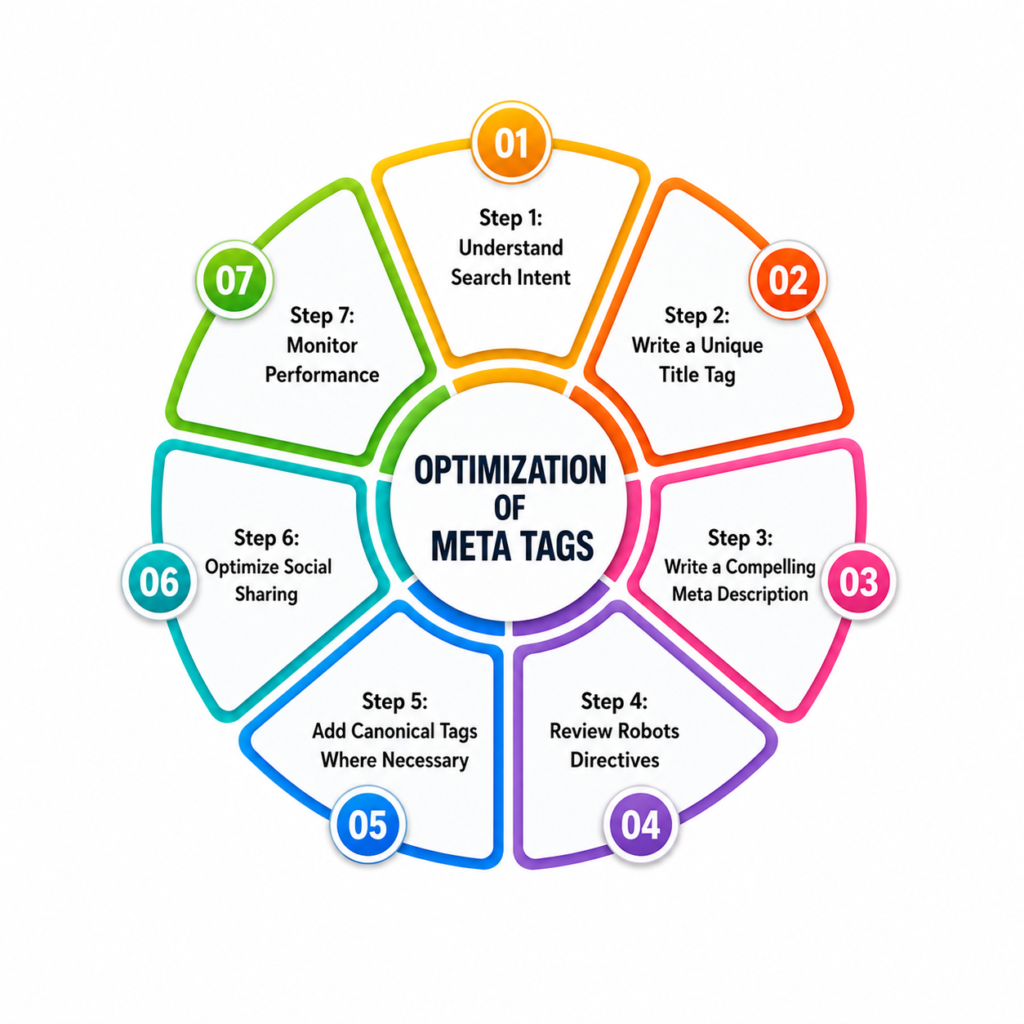
Step 1: Understand Search Intent
Before writing metadata, understand what users are searching for and what type of content they expect.
Identify:
- The primary keyword
- Related terms
- Search intent
- The page’s main value
Your metadata should accurately reflect the content users will find after clicking.
Step 2: Write a Unique Title Tag
Create a clear title that:
- Includes the primary keyword naturally.
- Describes the page accurately.
- Is unique across your website.
- Is concise and readable.
- Includes your brand when appropriate.
Step 3: Write a Compelling Meta Description
Summarize the page and communicate its value.
A strong description should:
- Match search intent.
- Include relevant keywords naturally.
- Encourage clicks.
- Accurately represent the page.
- Avoid keyword stuffing.
Step 4: Review Robots Directives
Check that important pages are indexable and that pages that should remain out of search results use the correct directives.
Accidentally adding noindex to an important page can cause serious visibility problems.
Step 5: Add Canonical Tags Where Necessary
If multiple URLs contain similar content, specify the preferred version with a canonical tag.
Always verify that the canonical URL is accessible and indexable.
Step 6: Optimize Social Sharing
Check that your Open Graph title, description, image, and URL are accurate.
A good social preview should clearly communicate the content and use a high-quality image.
Step 7: Monitor Performance
Use Google Search Console to monitor:
- Impressions
- Click-through rate
- Average position
- Search queries
If a page receives many impressions but few clicks, testing a stronger title or meta description may improve its performance.
Meta Tag Optimization Examples
Example 1: Homepage Title
Before:
Home Page
After:
SEO Services for Small Businesses | Company Name
The improved version clearly explains the page and targets a relevant topic.
Example 2: Blog Post Title
Before:
SEO Tips
After:
15 SEO Tips to Improve Your Website Rankings in 2026
The second title is more specific and better matches user expectations.
Example 3: Meta Description
Before:
Welcome to our website. Click here for more information.
After:
Learn what meta tags are, why they matter for SEO, and discover practical optimization tips with real examples.
The improved description explains the content and gives users a reason to click.
Example 4: Canonical Tag
Before:
No canonical tag implemented.
After:
<link rel=”canonical” href=”https://www.example.com/meta-tags-guide”>
This identifies the preferred version of the page when duplicate or similar URLs exist.
Common Meta Tag Mistakes
Duplicate Title Tags
Every important page should have a unique title.
Poor:
- SEO Services | Company Name
- SEO Services | Company Name
- SEO Services | Company Name
Better:
- Local SEO Services | Company Name
- Technical SEO Services | Company Name
- Ecommerce SEO Services | Company Name
Unique titles help search engines and users understand how pages differ.
Missing Meta Descriptions
Google may generate its own snippet, but writing a custom description gives you greater control over how important pages are presented.
A missing description can result in less compelling search listings and missed opportunities to communicate value.
Keyword Stuffing
Avoid repeating the same keyword excessively in titles or descriptions.
Poor:
SEO Meta Tags, SEO Tags, Best SEO Meta Tags, Meta Tags SEO
Better:
SEO Meta Tags Explained: Types, Examples, and Best Practices
Incorrect Noindex Usage
Accidentally adding noindex to an important service page, homepage, or article can prevent it from appearing in search results.
Always check robots directives before publishing or making major website changes.
Missing or Incorrect Canonicals
Similar URLs without clear canonical signals can make it harder for search engines to identify the preferred version of a page.
Review product filters, URL parameters, and duplicate page variations carefully.
Writing for Search Engines Instead of Users
Metadata should be clear and persuasive, not stuffed with keywords.
Compare:
Weak:
SEO Guide
Improved:
Complete SEO Guide for Beginners: Learn SEO Step by Step
The improved title is more descriptive and better matches search intent.
Meta Tags and Modern SEO
Meta tags remain important, but they are only one part of a complete SEO strategy.
Search engines also evaluate:
- Content quality
- Search intent
- Website authority
- User experience
- Technical performance
- Internal linking
- Structured data
- External references
AI Search
AI-powered search experiences are changing how users discover information.
Clear titles, accurate descriptions, well-organized content, and strong topical authority help search systems better understand webpages and identify relevant sources.
Search Intent
Even perfectly optimized metadata cannot compensate for content that fails to answer a user’s question.
For example, someone searching for “What are meta tags used for in SEO?” expects an educational guide rather than a sales page.
Your title and description should accurately communicate what the page offers.
Structured Data vs. Meta Tags
Meta tags and structured data serve different purposes.
| Feature | Meta Tags | Structured Data |
| Primary purpose | Describe metadata and provide instructions | Provide structured information |
| Usually visible to users | No | No |
| Supports rich results | Limited | Yes |
| Helps search engines understand content | Yes | Yes |
| Controls crawling | Some tags do | No |
Both can be used together as part of a broader SEO strategy.
How to Add Meta Tags in Popular CMS Platforms
WordPress
WordPress users typically manage SEO titles and meta descriptions through plugins such as Yoast SEO, Rank Math, or All in One SEO.
The general process is:
- Open a page or post.
- Go to the SEO settings.
- Add the SEO title.
- Write the meta description.
- Save or update the page.
Shopify
Shopify users can edit SEO metadata for products, collections, pages, and blog posts through the search engine listing settings.
Wix and Squarespace
Both platforms provide built-in SEO settings where users can edit page titles and meta descriptions without directly editing HTML.
Webflow
Webflow provides page-level SEO settings for titles, descriptions, and Open Graph information.
Regardless of the platform, review the live page after publishing to ensure the metadata is accurate.
Best Tools for Meta Tag Optimization
| Tool | Best For |
| Google Search Console | Monitoring impressions, rankings, and CTR |
| Yoast SEO | WordPress metadata optimization |
| Rank Math | On-page and technical SEO |
| Ahrefs | Site audits and SEO analysis |
| Semrush | Technical SEO and competitive research |
| Screaming Frog | Crawling and auditing metadata |
These tools can help identify:
- Missing title tags
- Duplicate titles
- Missing descriptions
- Duplicate descriptions
- Incorrect canonicals
- Indexing issues
- Poor-performing pages
For example, Screaming Frog can crawl a website and provide detailed reports on title tags, meta descriptions, canonicals, redirects, and other technical elements.
Google Search Console is particularly useful for monitoring whether your metadata is generating impressions and clicks.
Meta Tags SEO Checklist
Before publishing a page, check that:
- The title tag is unique.
- The primary keyword appears naturally in the title.
- The meta description accurately summarizes the page.
- The description matches search intent.
- The robots directive is correct.
- The canonical URL is properly configured.
- Open Graph tags are accurate.
- The viewport tag is present.
- Duplicate metadata has been removed.
- Social previews have been tested.
- Search performance is monitored after publication.
Frequently Asked Questions
What are meta tags in SEO?
Meta tags are HTML elements that provide information about a webpage to search engines and browsers. They can describe page content, control indexing, support mobile display, and improve social media previews.
Do meta tags help rankings?
Some metadata elements influence how search engines crawl and process pages. Title tags are important for SEO and search visibility, while meta descriptions primarily influence click-through rates rather than rankings.
Which meta tags are most important?
The most important elements include:
- Title tags
- Meta descriptions
- Robots meta tags
- Canonical tags
- Open Graph tags
- Viewport tags
Each serves a different purpose.
What is a title tag?
A title tag defines a webpage’s title. It commonly appears as the clickable headline in search results and is also displayed in browser tabs.
What is a meta description?
A meta description is a short summary of a webpage that may appear below the title in search results. It is not a direct ranking factor but can influence click-through rates.
Do meta keywords still matter?
No. Google does not use the meta keywords tag as a ranking signal. Focus instead on useful content, search intent, technical SEO, and relevant metadata.
What is a canonical tag?
A canonical tag tells search engines which URL should be treated as the preferred version when multiple pages contain similar or duplicate content.
What is a robots meta tag?
A robots meta tag provides instructions about whether search engines should index a page or follow its links.
How long should a meta description be?
Meta descriptions are commonly kept around 150–160 characters, although the displayed length can vary depending on the search query and device.
Can I have multiple title tags?
A webpage should have one primary title tag. Each important page should also have a unique title.
How can I check my meta tags?
You can:
- View the page source in your browser.
- Use an SEO browser extension.
- Crawl the website with Screaming Frog.
- Run an audit with Ahrefs or Semrush.
- Review performance in Google Search Console.
Conclusion
Understanding what meta tags are used for in SEO is essential for improving how search engines interpret and display your webpages.
Title tags help communicate page topics and attract clicks. Meta descriptions summarize content and can improve search result engagement. Robots directives help control indexing, while canonical tags clarify preferred URLs. Open Graph tags improve social sharing, and viewport tags support mobile usability.
The most effective approach is to keep your metadata accurate, unique, relevant, and aligned with search intent. Avoid outdated tactics such as meta keyword stuffing and focus instead on creating helpful content supported by strong technical SEO.
Regularly review your metadata, monitor performance in Google Search Console, and update your tags as your content and search intent evolve. When combined with quality content, strong internal linking, technical optimization, and authoritative backlinks, well-optimized meta tags can support a stronger overall SEO strategy.
